
Walk them through it.
It never leaves your Mac.

Emaus is a free screen recorder for macOS. Your screen, your voice, the audio playing on your Mac and an optional camera bubble — saved as one clean MP4, on your Mac. No account, no cloud, no watermark.

Free · Apple Silicon · no sign-up

Open it, pick what you want in the take, press record.

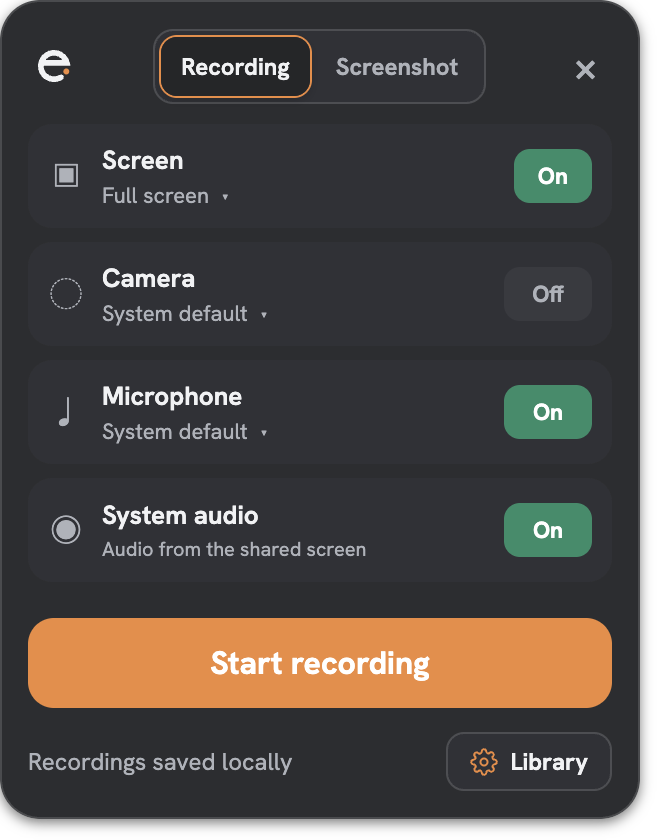
The popover is the whole setup. There is no account screen before it.

Every “can you show me?” becomes one file

The question comes in messy. The answer goes out once — and gets sent again next month instead of re-explained.

Four steps. None of them is “upload”.

Pick, record, trim, done. What you see here is the actual app.

The Emaus popover with screen, camera, microphone and system audio toggles

1Pick what goes in

Screen or window, microphone, system audio, camera. The menu-bar popover is the only setup.

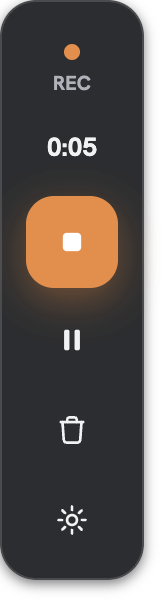
A screen being recorded with the Emaus controls bar and camera bubble

2Talk like they're next to you

A floating bar with the timer, pause and stop. Your camera sits in a bubble you can drag and resize. Clicks get a soft halo.

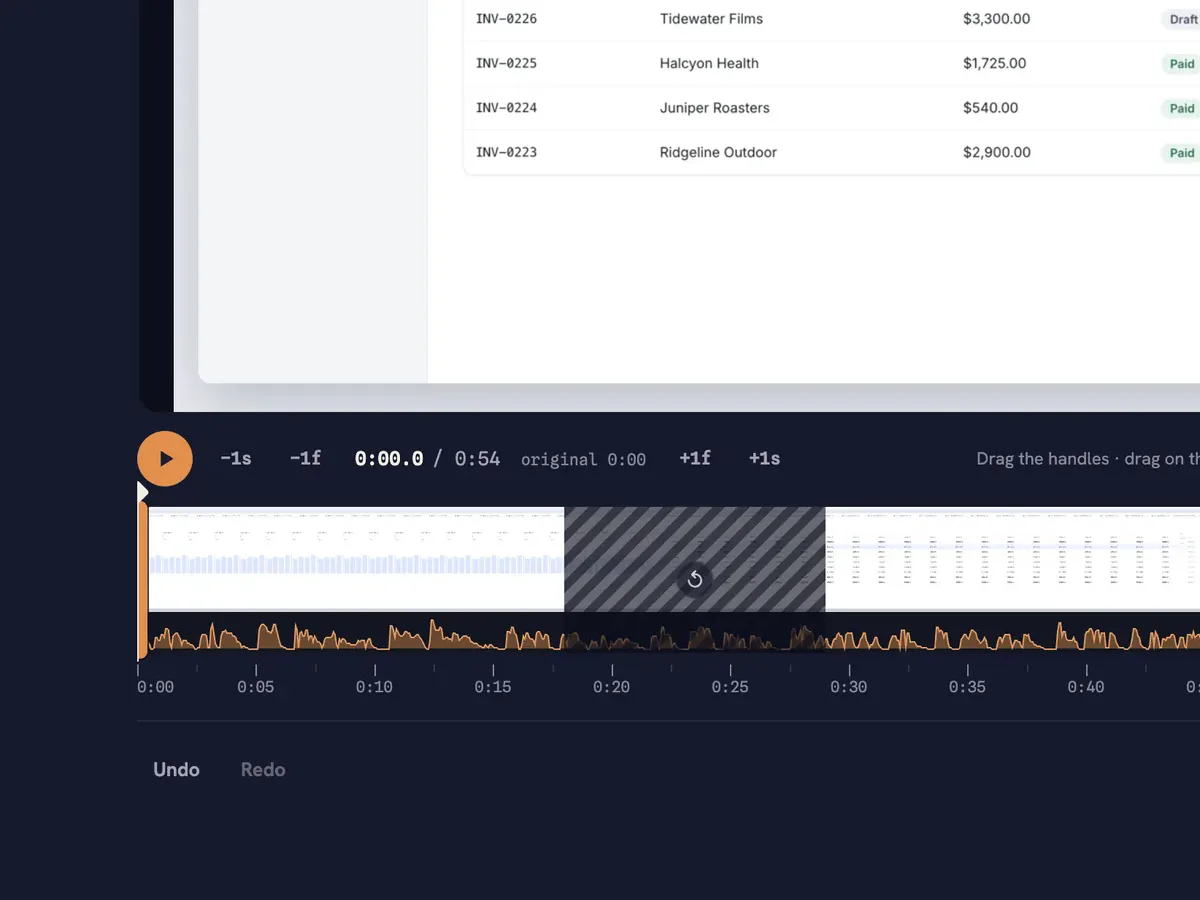
The Emaus editor timeline with a removed segment and the original length kept

3Trim as you like

Every take opens on its own page. Cut the pause at the start, the fumble in the middle. The original stays one click away.

Emaus › recordings › Onboarding walkthrough

Sprint demo — new invoices table.mp4741 KB
Onboarding walkthrough — billing flow.mp41.6 MB
Refund flow, step by step.mp4620 KB

4Your file is ready

Stop, and the file is finished on disk — seekable, thumbnailed, in your Library. Reveal it in Finder or send it.

Nothing leaves your Mac

Yours.

The recording is a normal file in a normal folder. Back it up, move it, delete it. We never see it.

Local.

No upload, no server, no “processing”. Emaus runs without an internet connection.

No account.

There is no sign-up, no login and no email to confirm. Open the app and press record.

Where it lives: ~/Library/Application Support/emaus-local/emaus/recordings/ — every recording in its own folder with the MP4 and its thumbnail.

What goes into the take

Screen or a single window

Pick a display by name, or a window through the native macOS picker. Multiple monitors are listed.

Your voice

Choose any microphone. A level meter shows you're being heard before the take starts.

System audio, mixed in

Whatever is playing on the screen you record is in the file, together with your mic.

screenDemo with sound
+
micYou, explaining

Camera bubble

Optional. Three sizes, drag it anywhere. It's rendered into the video, not pasted on top afterwards.

S · M · L

Click halo and countdown

A soft ember follows your clicks so viewers can see where you are. A 3-second countdown before the take. Both optional.

3then recording

Trim without fear. The original is one click away.

Cut the pause, keep the take

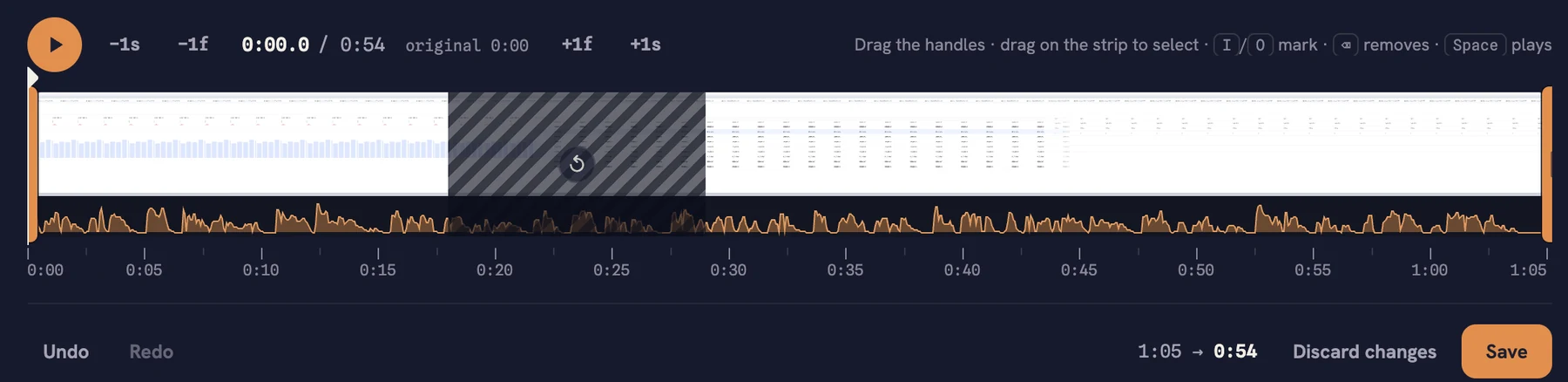
Every recording opens on its own page with an Edit tab. Drag the handles to trim the ends, select a stretch in the middle and delete it. The filmstrip and the waveform show you exactly what you're cutting.

  • Saving renders a new version in the background. The original file is never touched.
  • Revert to original, any time, with one click.
  • Undo, redo, frame-by-frame stepping, I/O marks, Space to play.
The Emaus editor timeline: filmstrip, waveform, a deleted stretch from 0:18 to 0:29, and 1:05 becoming 0:54
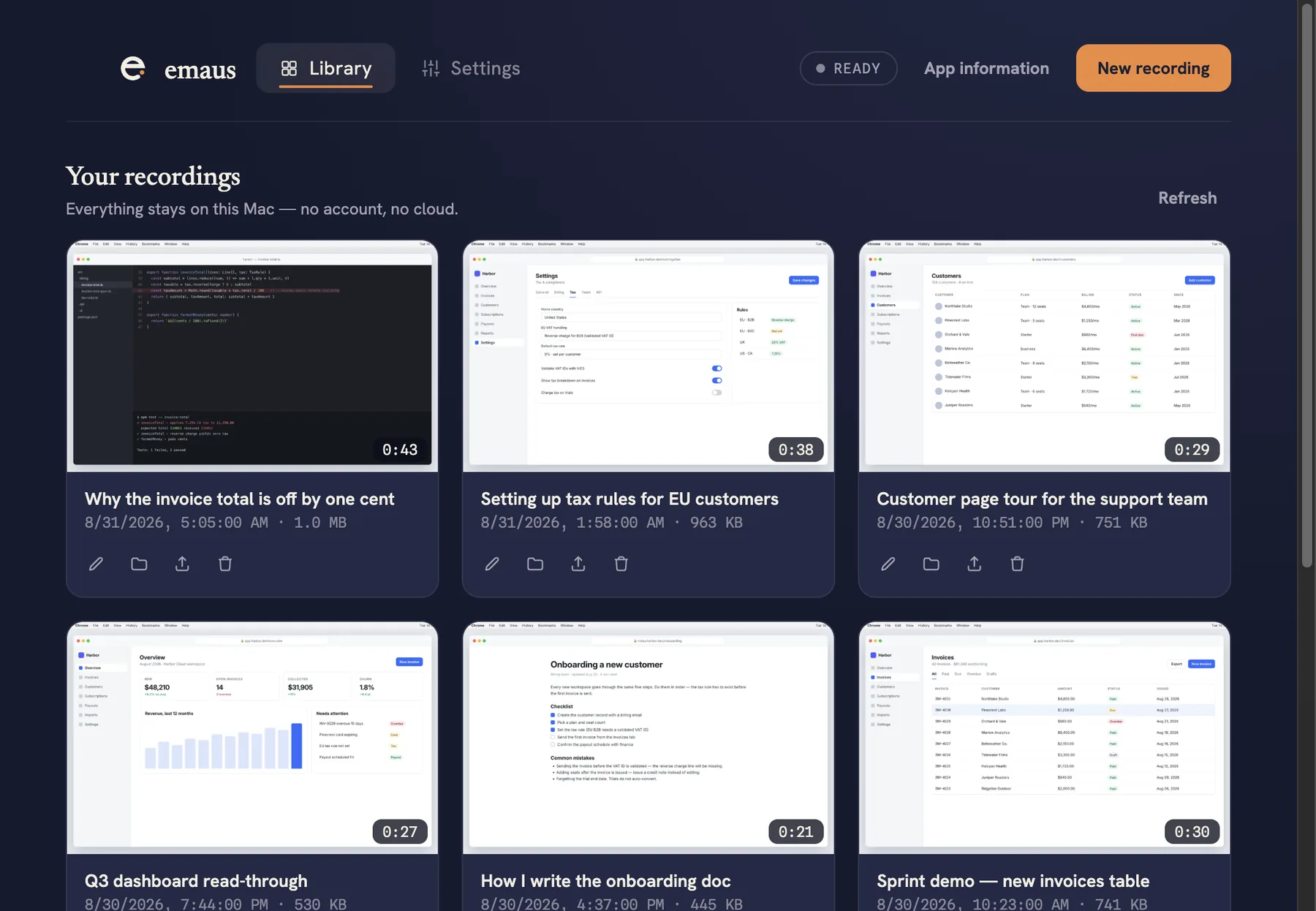
The Emaus Library: a grid of recordings with thumbnails, durations and file sizes

A Library, not a Downloads folder

Every take gets a thumbnail, a duration and a size, and lands in a grid you can actually find things in. Rename, reveal in Finder, export a copy, or move to the Trash — recoverable.

  • Interrupted recordings are kept and can be recovered.
  • The Library is optional. The files are yours either way.

Free. Not “free until”.

Most free recorders stop at five minutes, cap how many videos you keep, or stamp their logo on your work. Emaus doesn't, because there is no server to pay for.

  • No five-minute cutoff.
  • No video count.
  • No watermark, no “made with”.
  • No account, no credit card.
  • No 720p ceiling.
Typical free planEmaus
Recording length5 minas long as it takes
Videos you keep25all of them
Resolution720pyour screen's
Branding on videoyesnone
Account requiredyesno

Limits typical of the free tier of cloud screen recorders, as published in September 2026.

Who records with it

Anyone who has ever typed “let me show you”. Here are a few of them.

Bug repros with the sound on, PR walkthroughs, “here's why the test fails” in 40 seconds.

Show the flow instead of describing it. The spec gets a video, the review gets a file.

Investor updates, demo clips, onboarding for hire number three — recorded once.

Answer the ticket with a screen and a voice. Send the same file the next time it comes up.

Explain the exercise on screen. Students watch it twice; nobody needs an account.

Hand off a project with a walkthrough the client can keep, not a link that expires.

The road to Emmaus

In an old story, two travelers walk a long road at dusk, confused about everything that just happened. A stranger falls in step beside them and explains, mile after mile — and by the time they arrive, they understand what they couldn't see when they set out.

That's what a good walkthrough does. It walks beside someone until things click.

“Did not our hearts burn within us, while he talked with us by the way?”
That's why the record button is an ember.

One plan. It's free.

$0

for the app, forever

  • Unlimited recordings, unlimited length
  • Screen, window, mic, system audio, camera bubble
  • Library, trim editor, revert to original
  • Automatic updates
  • No account, no trial, no card
Download for Mac

Before you install

Which Macs does it run on?

Apple Silicon Macs (M1 and later). Recording the audio playing on your Mac needs macOS 14.2 or later; screen, mic and camera work on earlier versions of macOS.

What permissions will it ask for?

Screen Recording, and Microphone and Camera only when you turn them on. macOS asks once; you can change it any time in System Settings › Privacy & Security.

Where are my recordings?

In ~/Library/Application Support/emaus-local/emaus/recordings, one folder per recording with video.mp4 and its thumbnail. “Reveal in Finder” takes you there from the Library.

What format is the file?

A standard MP4 (H.264 video, AAC audio) with the index at the front, so it seeks and streams anywhere — QuickTime, a browser, Slack, Notion, iMessage.

What happens when I edit a recording?

Saving a trim renders a separate file. The original stays on disk untouched. “Revert to original” switches back and moves the edit to the macOS Trash. Export lets you pick either version.

Is anything sent anywhere?

Only the update check, which downloads new versions of the app. Recordings, thumbnails and settings never leave your Mac.

How do I back it up?

Copy the emaus folder with the app closed. Restoring works the same way. Time Machine covers it too.

Record once. Send the file.

Free for macOS. Nothing to sign up for, nothing to upload.

Download for Mac

Latest version · Apple Silicon ·